Articles ·
A countdown app with algorithmic art
Tidsala comes out on Tuesday 17 November for iPhone and iPad. This is why I made it and how it works.
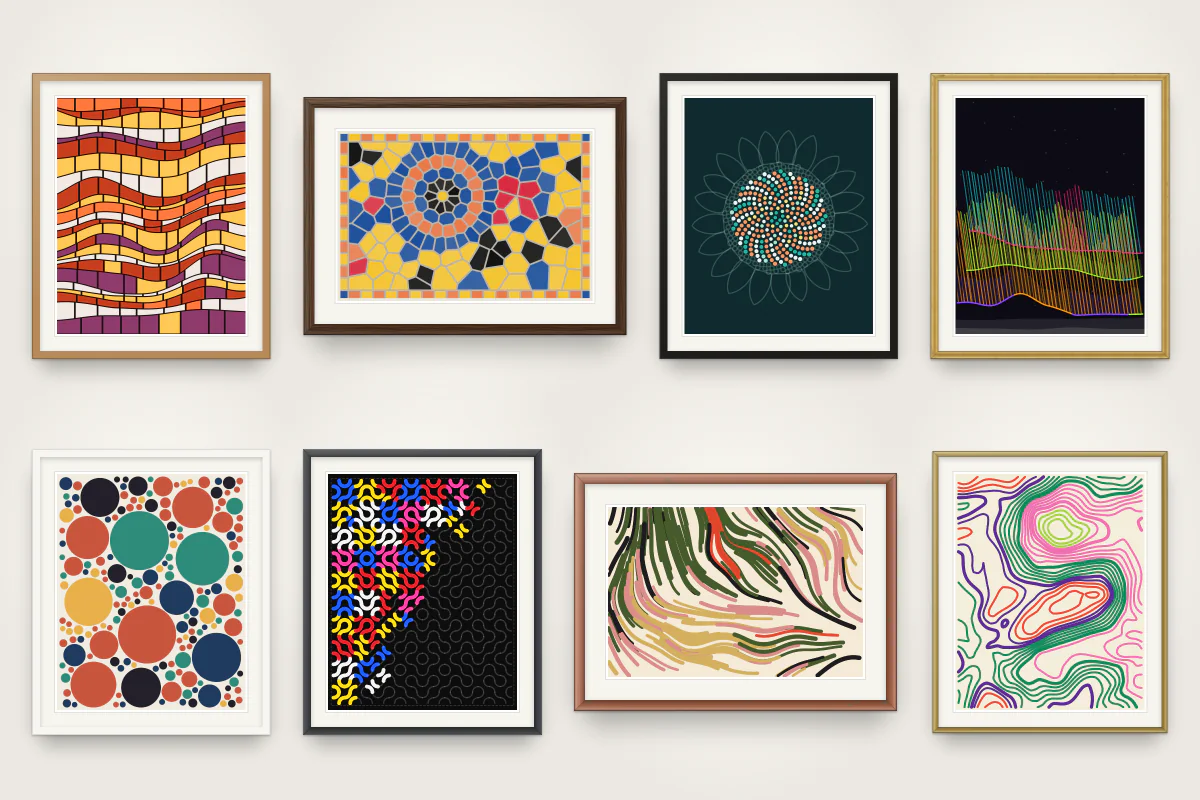
I like to see how the year progresses and luckily, there are many events in my life that I'm looking forward to. I also enjoy algorithmic art very much and have been experimenting with using them to generate wallpapers for my phone. I tried to combine both and show the progression towards or since events that are important to me. I like the end result so much that I decided to release it to the App Store, hopefully others will enjoy it as well.
Origins
I have been creating iOS apps for 18 years now, from the first day the App Store launched. So my usual answer to a problem that I have is just to write an app for it. I know there are countless countdown apps on the App Store, but I like to write and use my own, that way I can be certain it doesn't track anything about me and it behaves exactly how I want it to. With the advent of coding agents, this has become extremely easy and the App Store shows it.
For better or worse, software engineering, especially on small scale like simple iOS apps, has already changed forever. I have my own concerns about the LLMs and their economic, environmental, cultural, etc impact, but that is a conversation for another day. The truth is, LLMs and coding agents are here to stay. We all know the problems with LLMs, like hallucinations, but they have got so much better and the job became not writing code, but making sure the code is good. In the past years I have found my own methods and also applied others' solutions and we got to the point where I feel confident about the code an agent generates.
So I had a little countdown app that I mostly used to display important dates as widgets on my phone's home screen and I started on the art generator. I find this a fascinating topic.
Controlling randomness
My goal was to define an art as the combination of a seed and an algorithm to use. Funnily enough, initially I wanted to do this myself, by hand. The idea was that I start a real, physical painting every January by rolling a number and then following simple steps every day, I would finish the piece by the end of the year. This way every year of my life would be a nice, abstract painting. I also wanted to make my own rules, like "split the space into two, draw a circle", etc. This grand idea quickly crashed into the ground when it encountered reality, it turns out I'm just horrible with everything drawing or painting related.
I also found that there's already something very similar out there called p5.js, so I played around with that for a while. Then of course the itch started itching and I had to write an iOS app for it. The first problem is that, there's no way to seed random numbers in the built-in random number generator, so we need to write our own.
I found this algorithm, called Mulberry32 that is basically one function that generates the same sequence of "random" numbers.
mutating func next32() -> UInt32 {
  state &+= 0x6D2B_79F5
  var z = state
  z = (z ^ (z >> 15)) &* (z | 1)
  z ^= z &+ ((z ^ (z >> 7)) &* (z | 61))
  return z ^ (z >> 14)
}
To generate an image, we can choose from many algorithms, let's see how this one is generated.
The example: packing circles
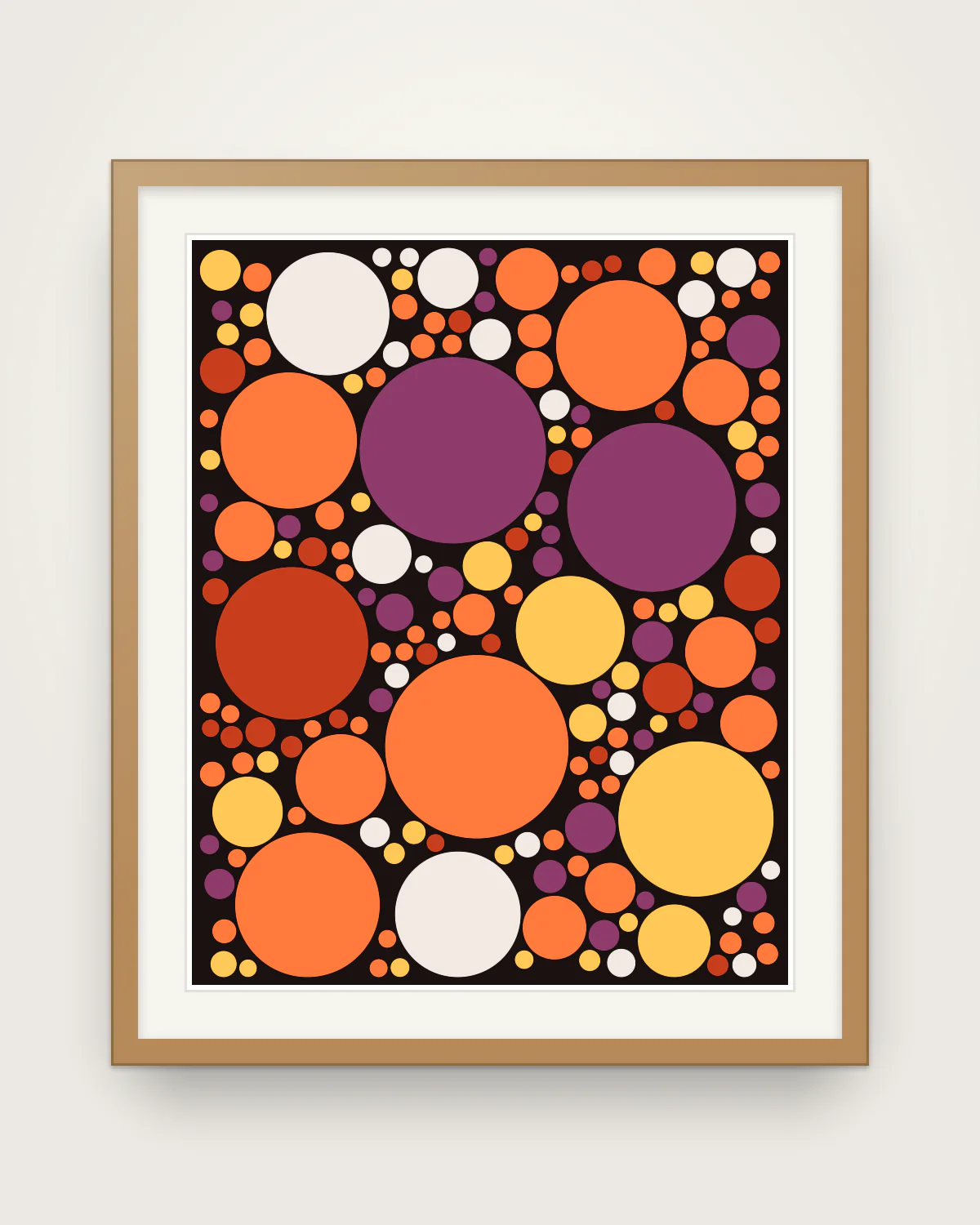
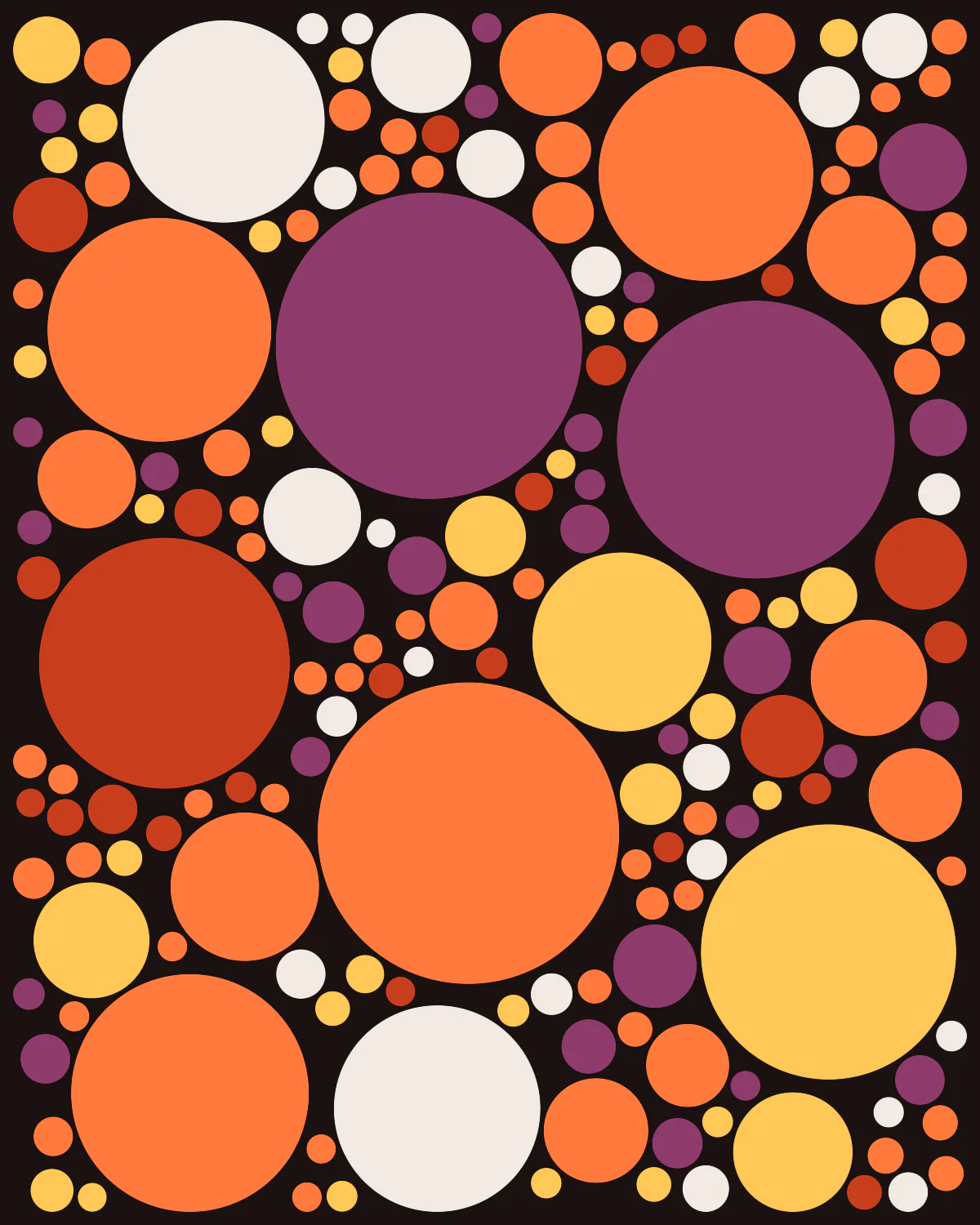
The above image is generated by one that is called circle packing. The canvas is about 89 by 112 units and the algorithm repeats one small step:
- Take two numbers from the generator and use them as a point on the canvas
- If the point lies inside a circle that is already there, or right next to one, throw it away and start again
- Otherwise measure how much room the point has: the distance to the nearest circle or to the edge
- Draw a circle there that uses the room, up to a maximum size
- Stop at 230 circles or after 20,000 tries. These are just numbers that I came to after a lot of trial and error
In code, a little simplified:
while circles.count < 230 && attempts < 20_000 {
  attempts += 1
  let x = rng.nextDouble(in: low...highX)
  let y = rng.nextDouble(in: low...highY)
  guard !isTooCloseToACircle(x, y) else { continue }

  let progress = Double(circles.count) / 230
  let cap = minRadius + (startRadius - minRadius) * power(1 - progress, falloff)
  let room = min(freeRadius(x, y), cap)
  guard room >= minRadius else { continue }

  circles.append(Circle(x: x, y: y, radius: room))
}
The interesting line is the one with cap. The maximum size shrinks as the canvas fills up. The first circles may be large, up to a radius of 12 to 17 units, and the last ones may be no larger than 1.3. That is what gives the picture its look: a few big circles that arrived early, and many small ones that found a gap later. Without the cap the first circle would grow until it touched the edge of the canvas.
Two more numbers are drawn from the generator before the loop starts: how large the first circles may be, and how quickly the cap falls. So one seed gives a picture with a few very large circles and another gives a more even one.
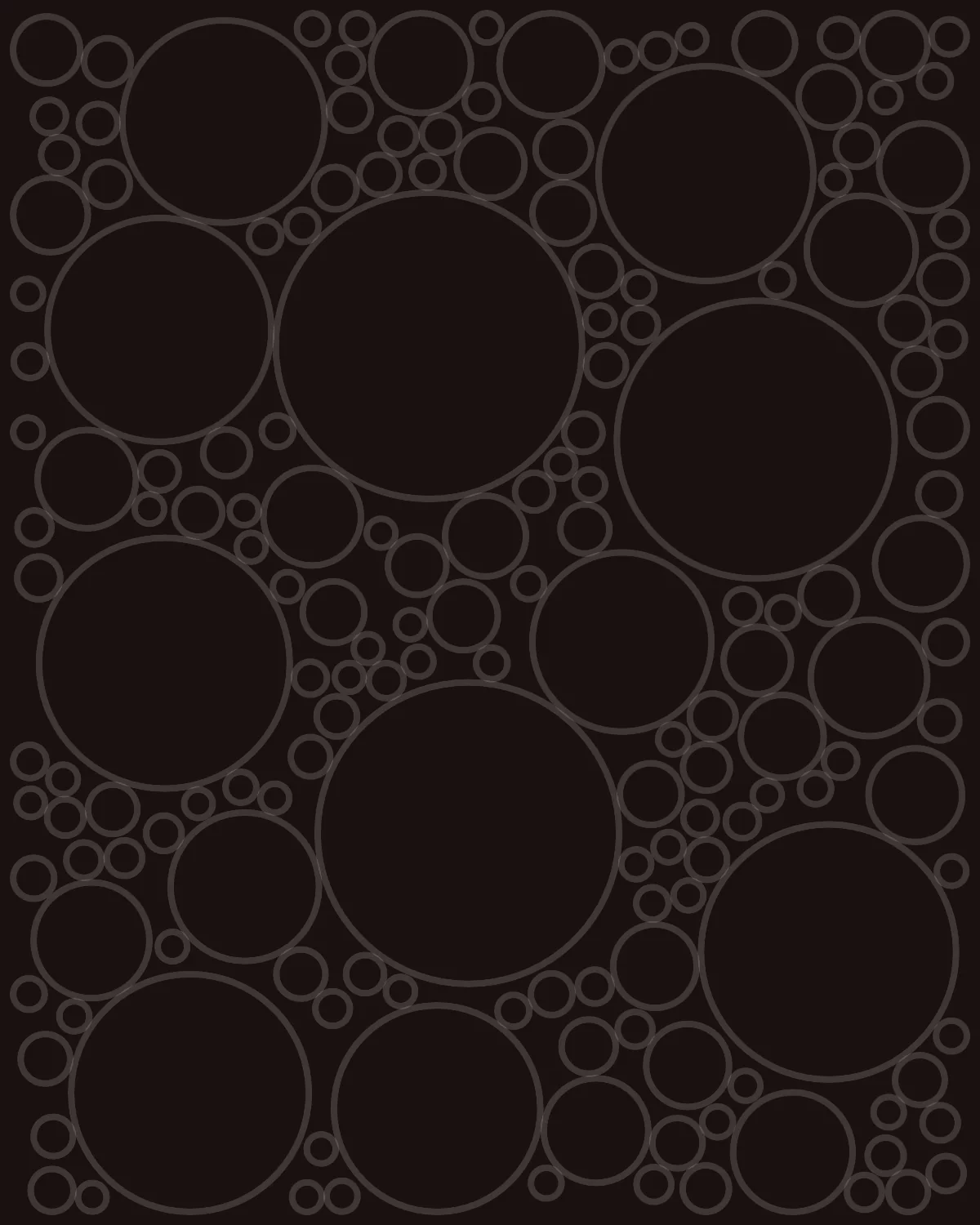
This is the result for seed 70411, before any color:
Color
A palette in Tidsala has a background and five colors. Each circle gets one of the five, but not with equal chances. The shares are always 34, 24, 18, 14 and 10 percent, and the generator shuffles which color gets which share. So in one piece orange leads and in another yellow does, from the same palette.
Here are two other seeds in the same style and the same palette. Seed 70412, one higher than our example, and seed 12:
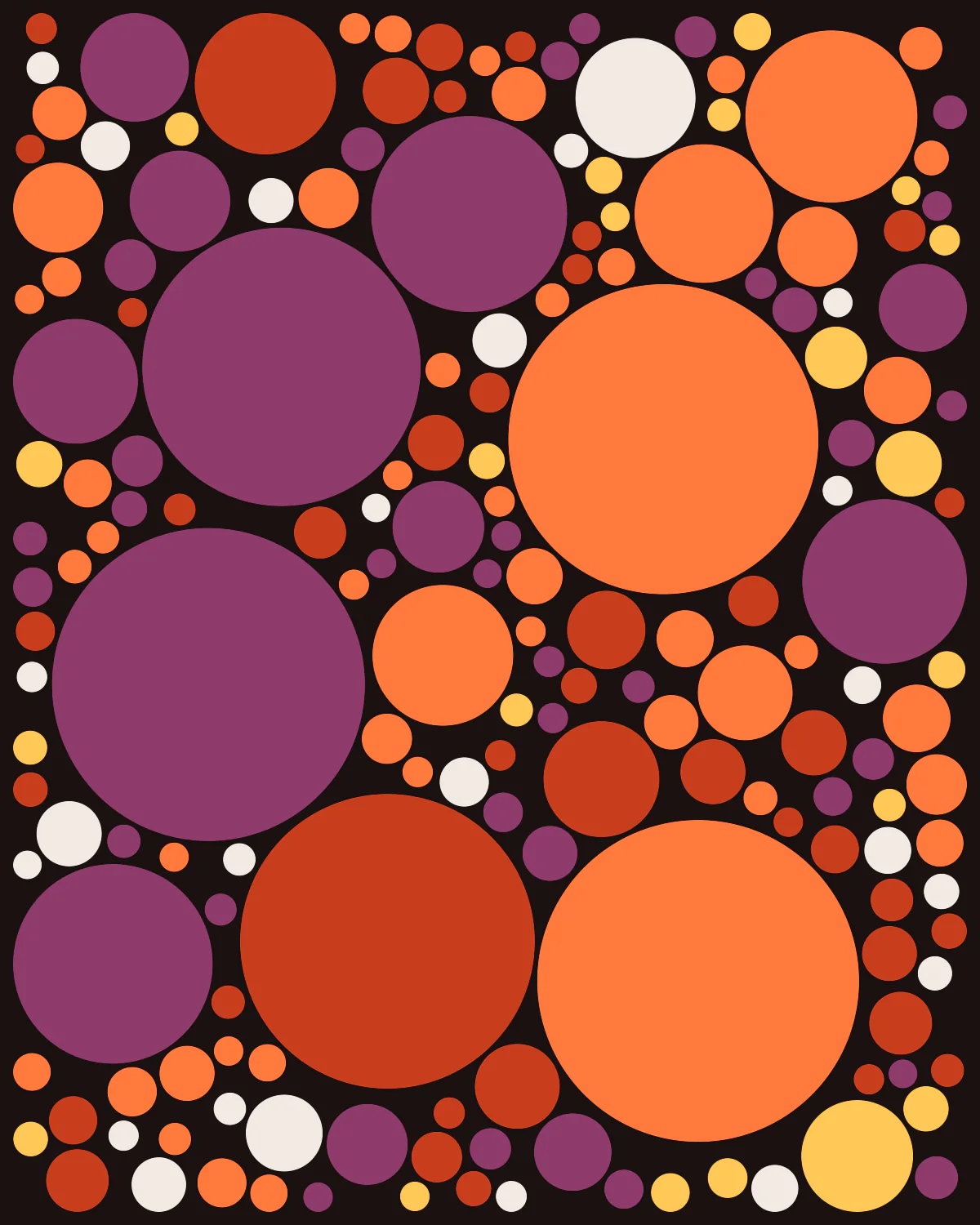
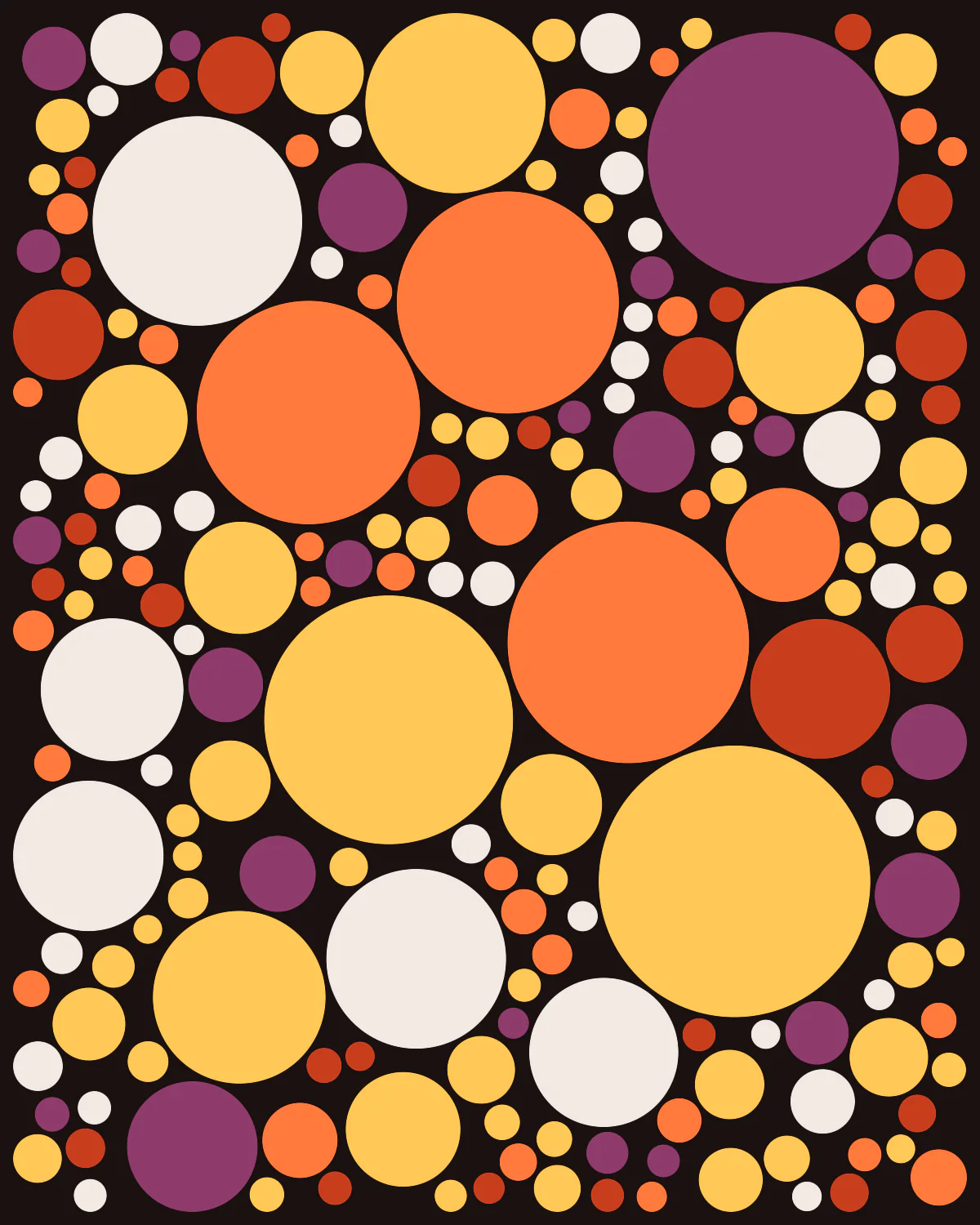
Neighboring seeds have nothing in common, the seed is scrambled before it is used and it is mixed with a number that belongs to the style, so seed 70411 as a flow field has no relation to seed 70411 as circles.
Putting it to use for countdowns
In Tidsala every date is a picture that is not finished yet. The whole composition is outlined on the first day, then each day a little more of it fills with color, and on the day itself it is complete. Then it is kept, and the app slowly becomes a small gallery of finished art pieces.
Now the piece is just a list of circles. To turn it into a countdown, the list needs an order and the days need to be divided over it.
The order is a diagonal sweep from the top left, every circle gets a score:
0.6 * x + 0.4 * y + rng.nextDouble(in: -8...8)with x and y scaled to run from 0 to 100. The circles are sorted by that score. Without the random part at the end the color would move across the canvas in a straight line, like a progress bar. With it, the edge is ragged, and now and then a circle far ahead of the others fills in early.
Then I scale the piece to the number of days to or from the day (roughly modulo 365) to make sure we see progress almost daily and for each filled in piece, I keep a copy of it, that goes into the gallery.
This is the same piece with about a tenth of its circles filled, then 40 percent, then 75 percent, then all of them:
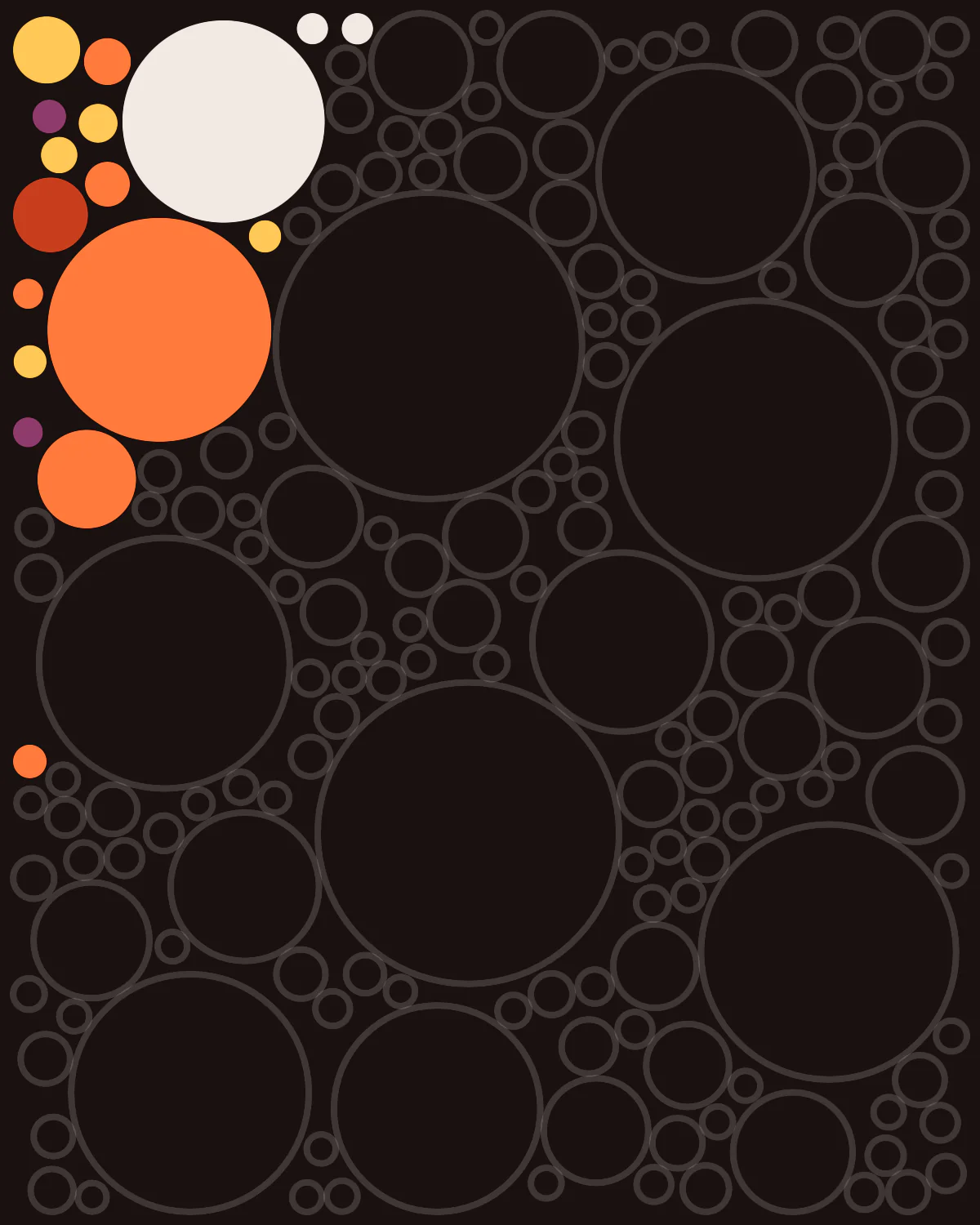
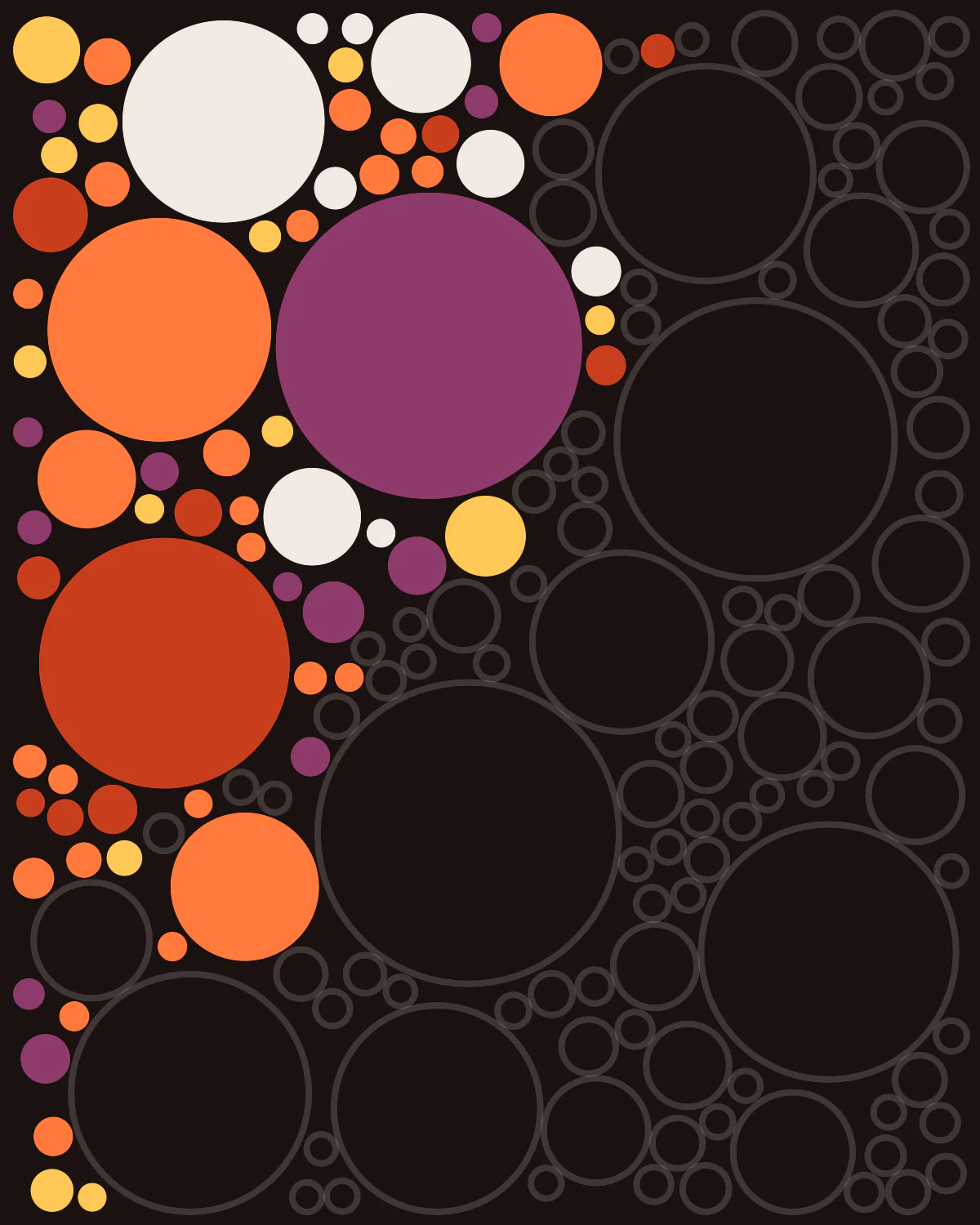
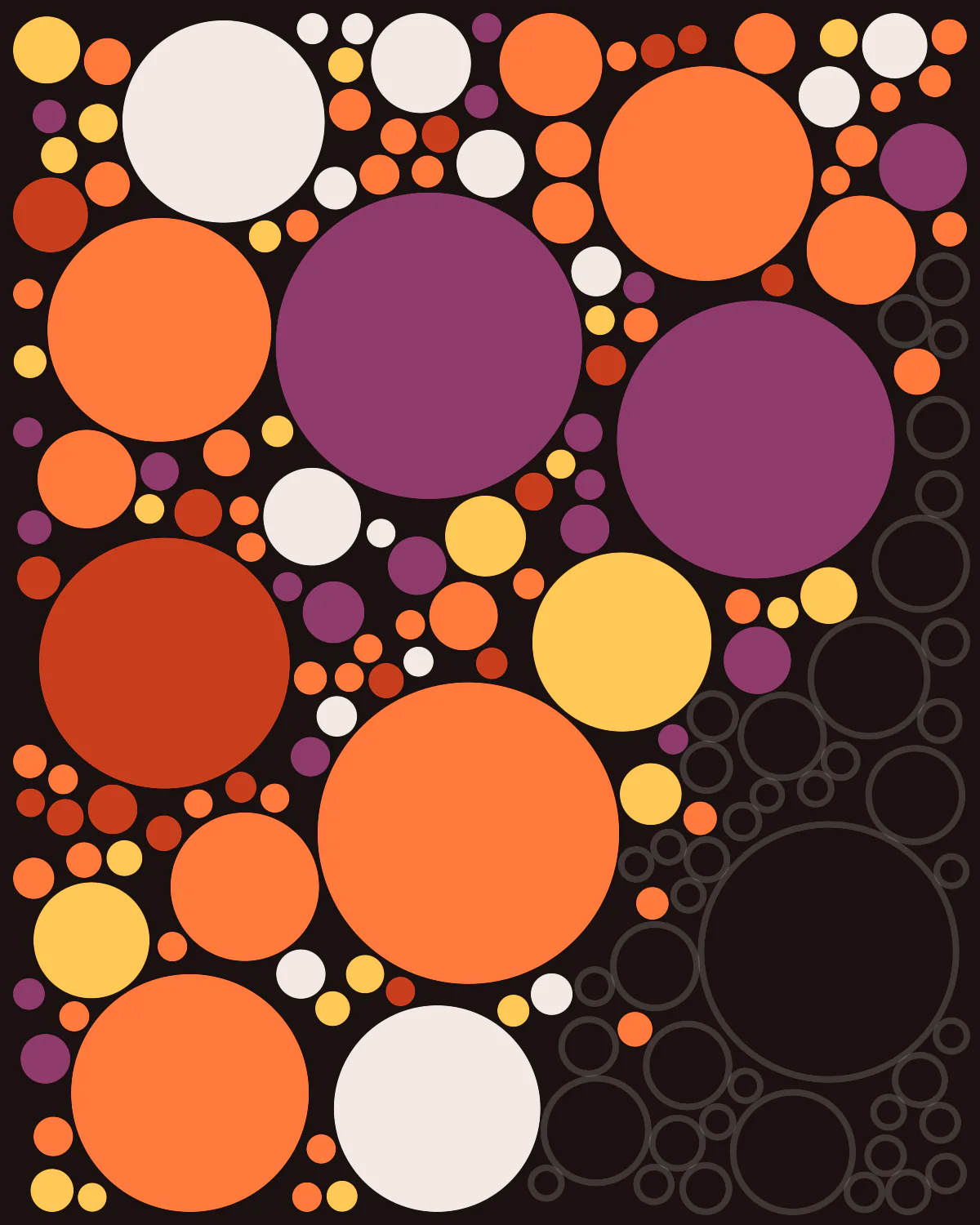
The funny thing is, nothing counts up or down inside the app. How many circles are filled is worked out from the dates every time the piece is shown. Changing time zones, setting the clock, or leaving the app closed for a month does no harm.
The same picture everywhere
Because a piece is a seed and not an image, the app, the widget on the Home Screen and a second device over iCloud each draw it themselves, so they have to arrive at exactly the same picture.
- The drawing code does not call the system's sine, cosine or power functions, because their results are not guaranteed to be identical to the last digit on every processor and system version, and a circle that is a bit larger can change what fits next to it. The code uses its own versions instead
- Each piece records which version of its algorithm drew it. If I improve a style later, pieces that are already finished are still drawn as they were
- Widgets get little time and memory to draw, so the app renders the pictures for the next 48 hours ahead of time and the widget shows those
Finishing it up with Claude
So the proof of concept was ready and I already had my countdown app, which handled iCloud sync, CRUD operations. This is where Claude became invaluable and I could finish a product ready to ship in weeks rather than months or a year. A lot of people say about LLMs that they are just glorified auto complete, and that was exactly what I needed. I had the basics in place the way I wanted and an LLM is an insanely effective way to finish it. Still, it took many weeks to finish and polish the app, a lot of effort to get the UX and UI right.
A guide to Tidsala
The following is an overview of Tidsala written by Claude, using real screenshots from the app.
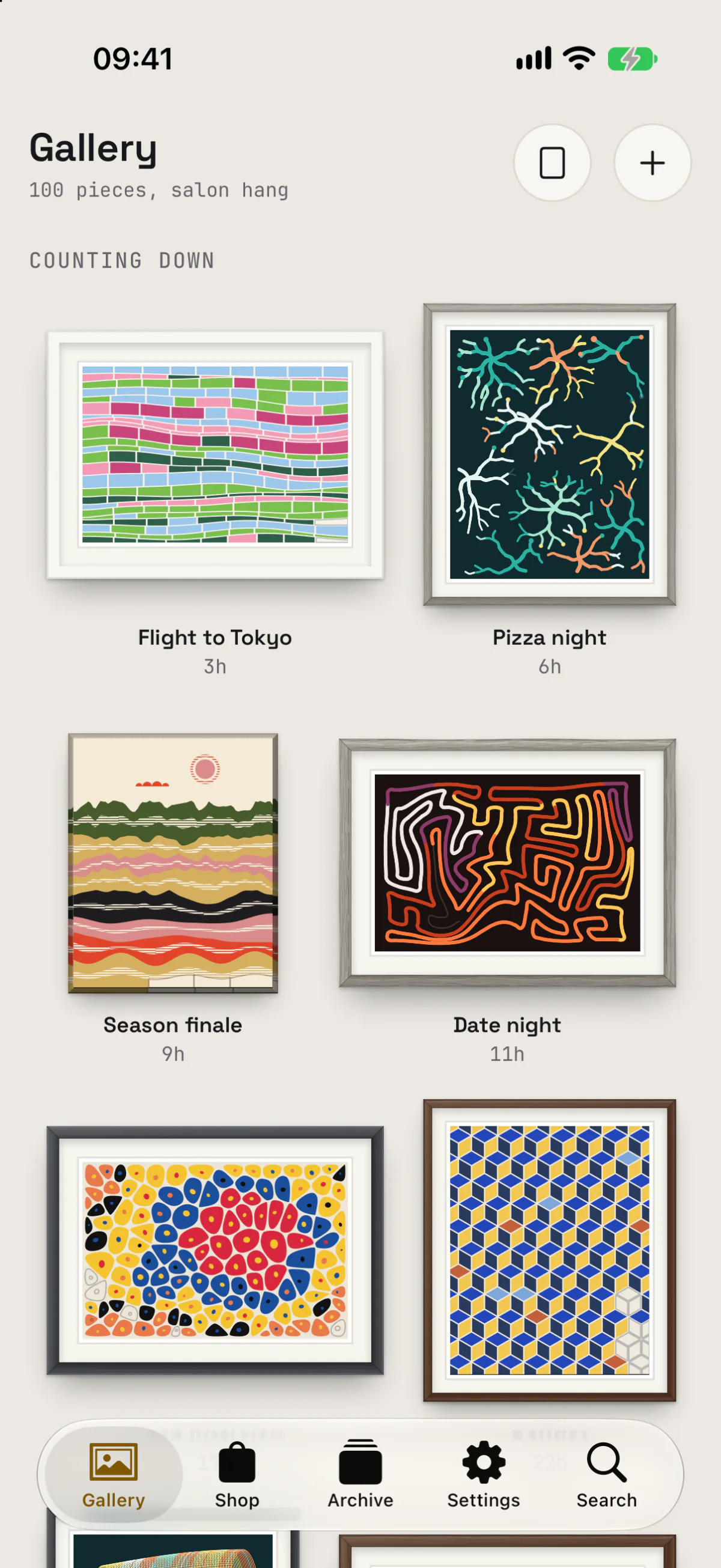
Tidsala opens on the Salon. Every date you added hangs there as a framed piece, the way pictures hang together on a gallery wall, with its name and the time left under it. Dates that are still ahead come first, under Counting down. Dates in the past follow under Counting up.
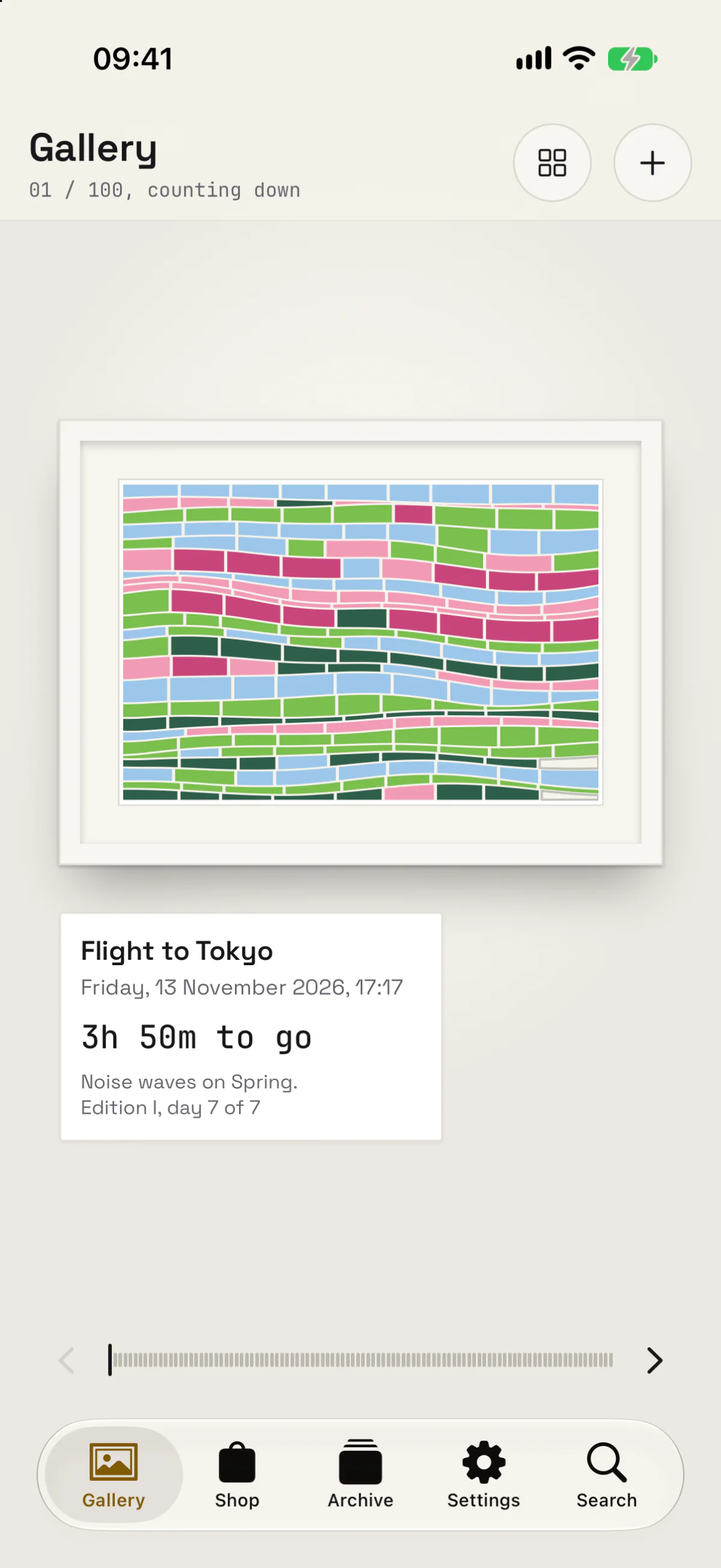
The button at the top right, or a pinch on a piece, switches to the Wall. The Wall shows one piece at a time with a label under it, like in a museum: the name, the date, the time left, the style and palette, and which day of the piece it is. Swipe to walk along the wall to the next piece.
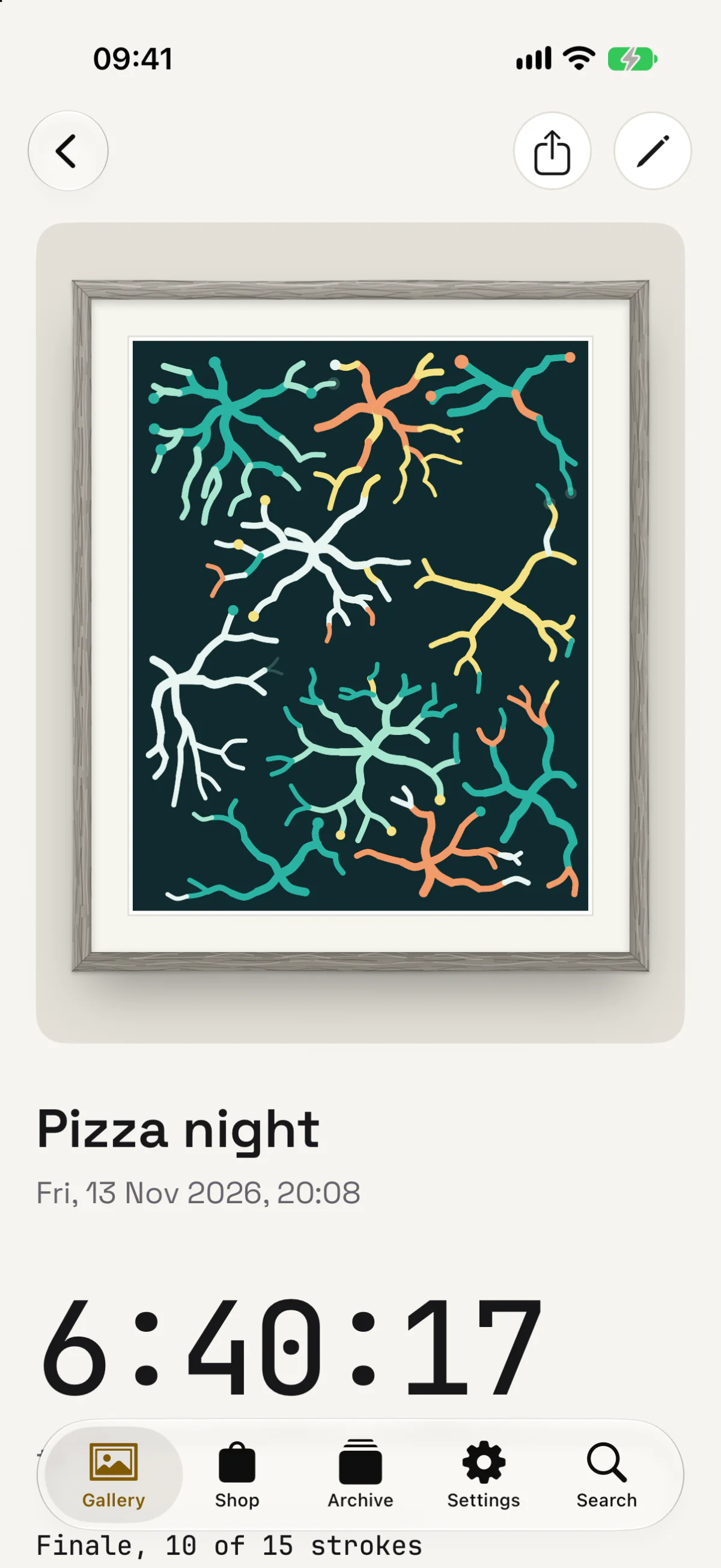
Tap a piece to open it. There you see the counter, how far the piece is, and when it will be complete. On the last day the remaining shapes land one by one through the day; in the screenshot below 10 of the last 15 are in. From here you can add the piece to your Home Screen as a widget, share it, or save it as an image or a wallpaper.
When a piece is complete it moves to the Archive and a new one starts. A birthday therefore leaves one finished piece behind every year, numbered as Edition I, II, III and so on.
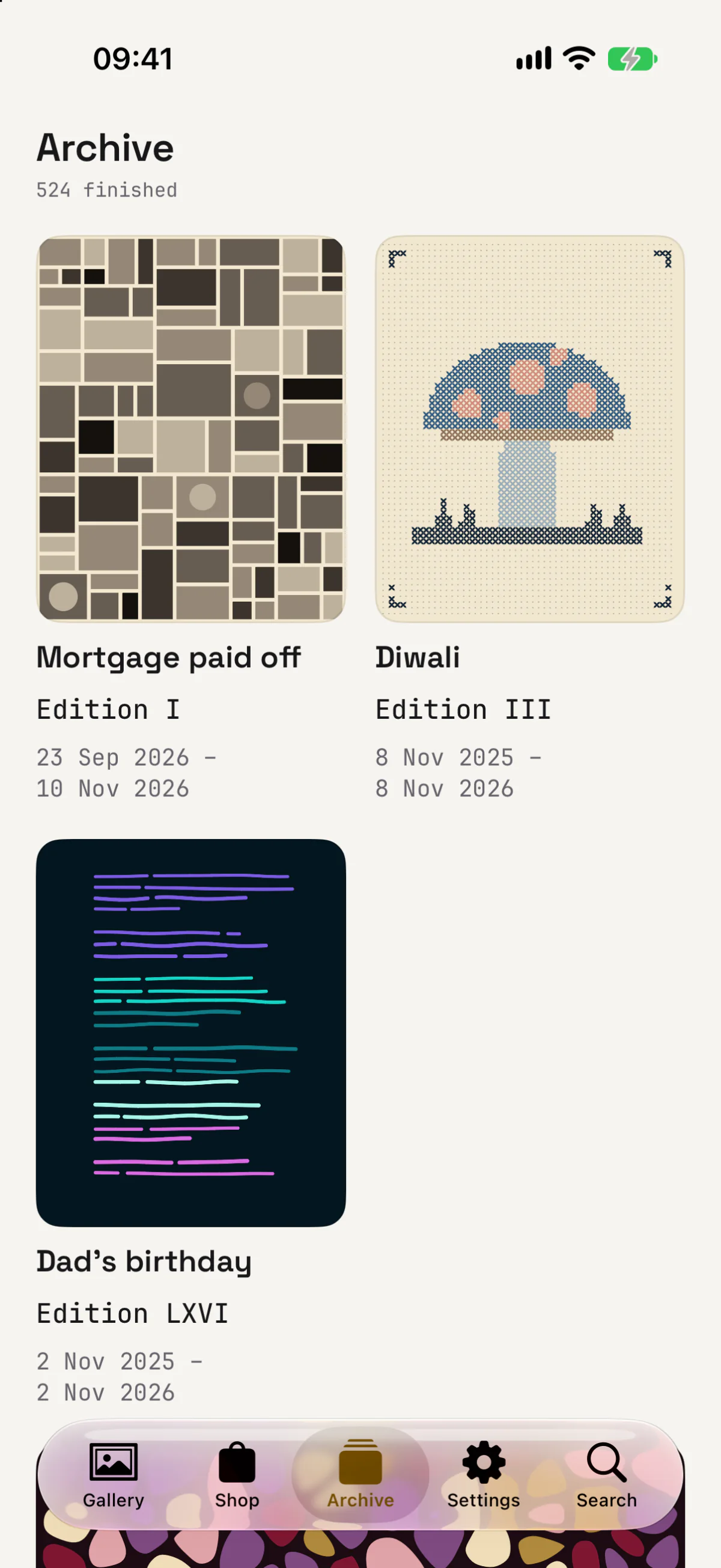
Each event has its own frame, style and palette, which you choose when you add it or leave to chance. The wall color and the light on it are set once for the whole gallery, in Settings.
The other styles
Four styles come free with the app: circle packing, a flow field of about 180 strokes that follow an invisible field of directions, a recursive grid that splits the canvas into halves, thirds and golden sections, and noise waves, 24 bands stacked like hills that never cross. They all work the same way: a seed, a list of shapes, an order, and the days divided over it.
When you add a date you see the piece before you save it. If it is not the one, tap Recompose and you get a new seed. Birthdays and anniversaries paint a new piece every year, numbered like the editions of a print.
What it costs
Tidsala is free. Unlimited events, every widget, reminders, yearly repeats, iCloud sync and export are included, with four styles, five palettes, three frames, two walls and a light. There are no ads, no subscription and no account, and the app collects no data.
If you want more art, a gallery shop has a hundred further styles, palettes, frames, walls and lights, as one-time purchases.
Out on 17 November
Tidsala is available to pre-order on the App Store now and arrives on Tuesday: