 Tidsala
Tidsala
Countdowns painted as art.
Every date you count toward becomes a generative artwork that paints itself in, one day at a time. When the day arrives, the piece is finished, and it stays in your gallery.
Coming soon to the App Store
For iPhone and iPad, from
How it works
One day, one stroke.
When you add a date, the whole composition is already there, drawn in faint outlines.
Each day a little more of it fills with colour, sweeping in from the top left. On the final day the last strokes land hour by hour, so the piece is complete at the very moment you have been waiting for.
-
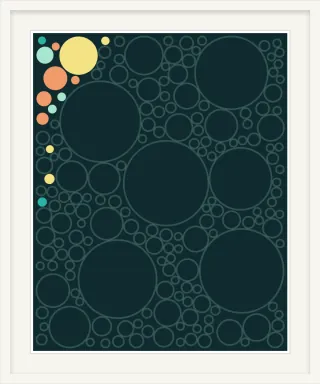
Day 30 of 365Outlines, and the first few colours. -
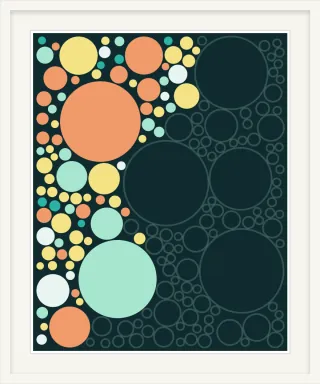
Day 180 of 365Halfway, and filling a little more each day. -
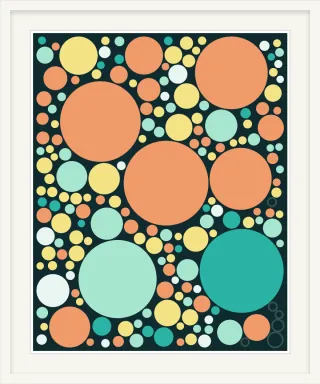
Day 365 of 365The finale: the last strokes land hour by hour.
Your gallery
Finished pieces are kept.
Your countdowns become a personal gallery that grows with every trip, birthday, holiday and anniversary.
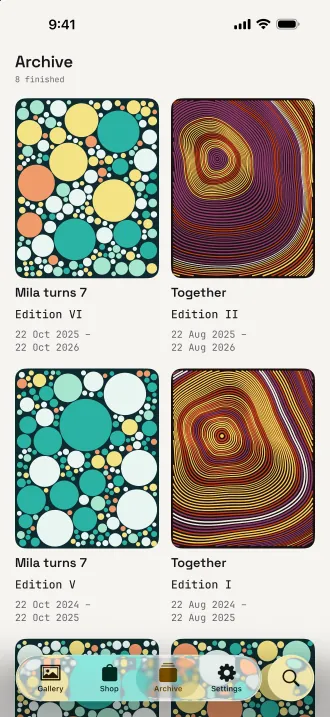
Birthdays and anniversaries can repeat every year, and each year paints a new edition. The Archive keeps every finished piece, newest first. Some dates you count away from: count up from one and the piece keeps painting, 777 days since.
- Four art styles and five palettes, free with the app
- Every piece is unique. Tap Recompose until you love it
- Save artwork as a high-resolution image or a wallpaper, or share it framed

Widgets
Art on your Home Screen, free.
Small, medium and large widgets show your piece filling in, day by day.
Lock Screen widgets carry a progress ring, a bar or a single line. The small widget works in StandBy, and pieces look right on a tinted Home Screen too.
Reminders arrive on the day, the day before or a week before. Timed events tick down to the minute; all-day events simply say “Tomorrow”, then “Today”.

iPhone and iPad
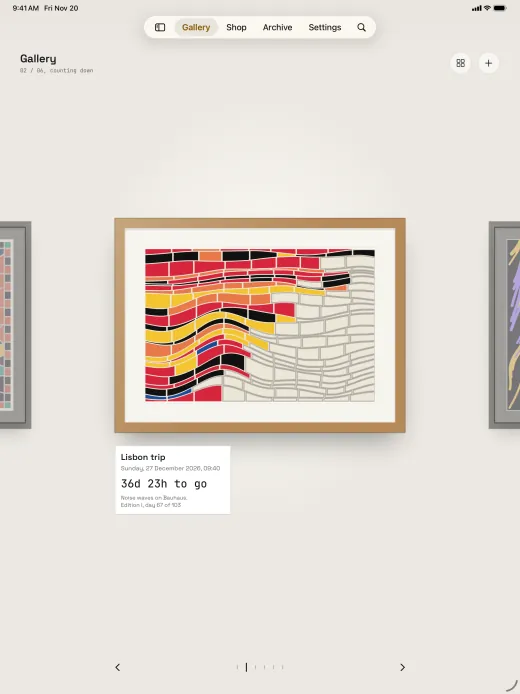
A gallery walk on iPad.
On iPad your pieces hang together on a salon wall, or one at a time under a spotlight, to swipe through like a walk along the gallery.
Keyboard shortcuts are there when you want them. Everything syncs between your iPhone and iPad through your private iCloud database.
Light and dark appearance, Dynamic Type, VoiceOver, Reduce Motion and Increase Contrast are supported throughout.
Frames, walls and light
Make the gallery yours.
Every piece hangs in a frame, on a wall, under a light you choose.
The app comes with four styles, five palettes, three frames, two walls and a warm spotlight. If you would like more, the gallery shop has a hundred further styles, palettes, frames, walls and lights as one-time purchases: one at a time, in packs of five, or all together with the Collector’s Pass, which also includes everything released later.
Everything a countdown app needs stays free: unlimited events, every widget, reminders, yearly repeats, iCloud sync and export. No ads. No subscription.
Data Not Collected
Your dates stay yours.
No account, no sign-up, no analytics and no tracking.
Your events live on your device and, if you like, in your own private iCloud database, so they appear on your other devices. The developer never sees them. Export your whole gallery to a single file and import it again whenever you want.
Time, painted.
Tidsala arrives on .
Coming soon to the App Store